Midjourney still sets the bar for stylized, high-quality AI image generation. But it is no longer the only serious option. In 2026, you can get comparable output from tools built into ChatGPT, Adobe Creative Cloud, Google Gemini, and standalone platforms like Leonardo AI and Ideogram. This guide tests eight alternatives against the features people care about: pricing, image quality, text rendering, commercial safety, API access, and free tier limits. I have used each tool side by side, and the differences are bigger than marketing pages suggest. For a broader look at the category, see our best AI tools for image generation.
Why does this matter now? Midjourney’s pricing has stayed competitive, but its web-only workflow and Discord-first history still annoy some teams. Competitors have caught up on aesthetics while adding things Midjourney lacks: native text rendering, integrations with design software, local models, and predictable commercial licensing. DALL-E 3, for example, now produces images directly inside ChatGPT Plus. Ideogram 2.0 handles legible brand names. Adobe Firefly plugs into Photoshop. If you have not looked beyond Midjourney since 2024, the market has shifted enough to justify a fresh test. We compare the top picks in our Midjourney vs DALL-E 2026 breakdown.
Methodology: I evaluated each tool using the same five prompts. They covered photo-realistic portraits, product mockups, complex scenes, typography, and a brand asset test. I checked pricing pages directly and ran free tiers where available. I also considered how well each tool fits common workflows, from a solo creator making YouTube thumbnails to a marketing team producing campaign visuals at scale. If your main use case is commercial, this matters more than raw image quality. We have a separate guide on best AI tools for marketers that covers creative and content workflows.
One warning before you choose. Free tiers are not equal. Some reset daily. Some cap you at a 32K context window for prompt editing, which is a weird but important limit for image generation tools that use language models. Some add watermarks. Some restrict commercial use. Read the fine print before you ship client work. Developers will also want to check API pricing, because per-image costs vary from a fraction of a cent to several cents. Our best AI tools for developers guide goes deeper on APIs and local options.
How Do the Top Options Compare?
| Tool | Best For | Free Tier | Starting Price | Key Strength |
|---|---|---|---|---|
| DALL-E 3 | ChatGPT users | No free tier, included with ChatGPT Plus | $20/mo | Native ChatGPT integration |
| Adobe Firefly | Commercial-safe design | 25 monthly credits | $4.99/mo | Licensed training data |
| Stable Diffusion | Developers and local use | Free self-hosted | Pay for GPU or API | Open model control |
| Leonardo AI | Game assets and daily free use | 150 daily tokens | $10/mo | Fine-tuned models |
| Ideogram | Text and logo rendering | 25 slow credits daily | $8/mo | Legible text in images |
| Google Imagen 3 | Gemini users | Limited Gemini access | $19.99/mo via Gemini | Photorealism |
| Flux.1 Pro | API and high detail | No official free tier | $0.04/image via API | Detail and prompt adherence |
| Microsoft Designer | Small business and social | 15 daily boosts | Included with Copilot Pro $20/mo | Templates and quick posts |
Pricing and free tier limits change frequently. Check each vendor’s current page before subscribing. DALL-E 3 and Imagen 3 are bundled with broader AI assistants rather than sold as standalone image tools.
1. DALL-E 3 , ChatGPT users and fast ideation
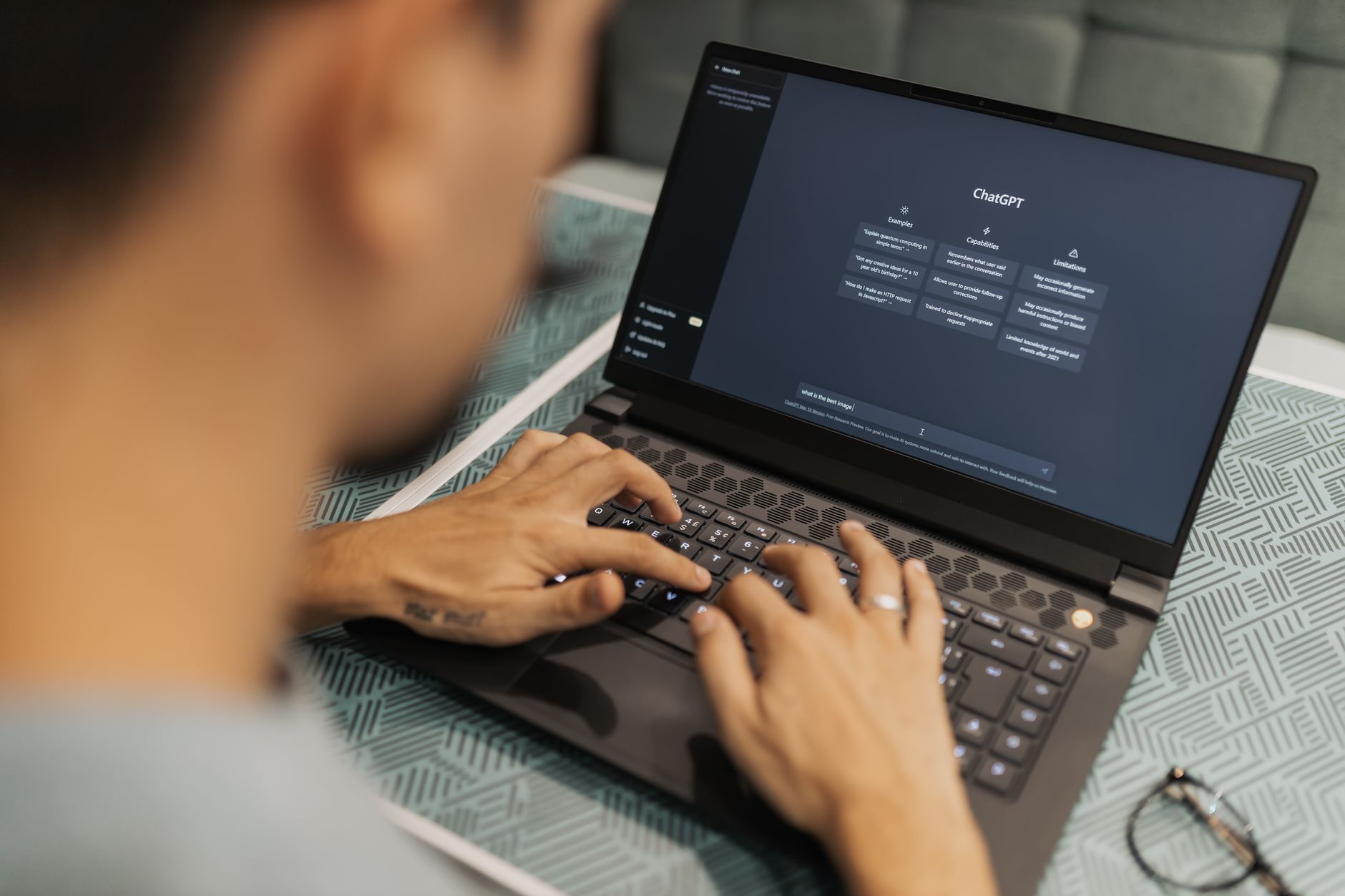
DALL-E 3 is the most convenient Midjourney alternative if you already pay for ChatGPT Plus. You type an image prompt in the same chat where you brainstorm copy, and OpenAI’s model returns four images. The OpenAI pricing page lists ChatGPT Plus at $20 monthly. There is no standalone DALL-E free tier anymore, so you are really paying for the bundle. That is fine for mixed text and image work. For visual detail, DALL-E 3 handles realistic scenes well and follows complex multi-object prompts better than many standalone tools.
Image quality is strong but does not always beat Midjourney on stylized art. DALL-E 3 tends toward a slightly glossy, rendered look. It also refuses more prompts than community models because of OpenAI’s safety filters. That is a real downside if you do edgy creative work. Still, the integration saves time. Marketers who already use ChatGPT for copy can go from headline to social visual without switching tabs. We compare DALL-E and Midjourney in detail elsewhere on this site.
Key strengths:
- ✅ Built into ChatGPT Plus, so no extra login if you already pay $20 monthly.
- ✅ Strong prompt adherence for complex scenes.
- ✅ API access available for developers who want batch generation.
- ✅ Good for quick thumbnail and concept work.
- ❌ No free tier outside the ChatGPT bundle.
- ❌ Safety filters can block legitimate creative prompts.
- ❌ Stylized output can feel too smooth or generic next to Midjourney.
Who it’s for: Choose DALL-E 3 if you already use ChatGPT and want image generation in the same workspace.
2. Adobe Firefly , Commercial-safe design and Adobe users
Adobe Firefly is the safest choice for brands that worry about copyright lawsuits. Adobe trains Firefly on Adobe Stock, openly licensed content, and public domain material. That gives it a legal position that most AI image tools cannot match. It plugs directly into Photoshop, Illustrator, and Express. You get a free tier with 25 monthly generative credits. Paid plans start at $4.99 per month, which is cheaper than Midjourney’s $10 basic plan. For teams already inside Creative Cloud, Firefly feels like a built-in feature rather than a separate tool.
Image quality has improved a lot since the early versions. Firefly now produces clean product mockups, text effects, and background replacements. It is not the best for raw photorealism or wild artistic styles. That said, it is fast and predictable. Marketers can generate on-brand variations without leaving their design files.
The downside is credit math. Generative credits vary by feature, and heavy use can push you to higher Creative Cloud plans. But if you are already paying for Photoshop, this may cost nothing extra. Firefly’s API is still limited compared to Stability or OpenAI.
Key strengths:
- ✅ Trained on licensed and public domain content, so commercial risk is lower.
- ✅ Works inside Photoshop, Illustrator, and Express.
- ✅ Free tier includes 25 credits monthly.
- ✅ Cheaper entry price at $4.99 monthly than Midjourney Basic.
- ❌ Less stylistically adventurous than Midjourney or Flux.
- ❌ Credit packs can become confusing with heavy use.
- ❌ API options are more limited for developers.
Who it’s for: Choose Adobe Firefly if you produce client or brand assets and already work in Adobe apps.
3. Stable Diffusion , Developers, local use, and deep customization
Stable Diffusion is the open model alternative. You can run it locally on your own GPU, use a hosted API, or install a front end like Automatic1111 or ComfyUI. It costs nothing for the base model, but you need decent hardware. A 24 GB graphics card helps for the latest SDXL and SD 3.5 models. If you do not have a strong GPU, cloud GPU rental runs a few cents per image. The tradeoff is control. You can load custom checkpoints, LoRAs, and ControlNet to get exactly the style you want.
This is the best route for developers and teams that need to bake image generation into their own products. It also gives you privacy because prompts never leave your machine in local mode. But setup is not beginner friendly. You will spend an afternoon configuring dependencies. The output can look amazing, but it requires more prompt engineering than Midjourney or DALL-E 3.
Commercial use is allowed for most open weights, but you need to check each model license. Stability’s own hosted API starts with pay-per-image pricing. Some enterprise teams prefer this over closed tools because they can retain everything in house. The open model community moves fast. New fine-tuned models appear monthly. That speed is exciting but also means documentation can lag.
Key strengths:
- ✅ Open weights let you run models locally or self-host.
- ✅ Unlimited customization via LoRAs, ControlNet, and custom checkpoints.
- ✅ No per-seat subscription if you run your own hardware.
- ✅ Strong for developers building custom image workflows.
- ❌ Setup and prompt engineering require technical skill.
- ❌ Image quality depends heavily on the model and settings.
- ❌ Local generation needs a powerful GPU for best results.
Who it’s for: Choose Stable Diffusion if you have technical skills and want full control over models and infrastructure.
4. Leonardo AI , Game assets and daily free credits
Leonardo AI started as a tool for game developers and has grown into a general purpose image platform. Its free tier is one of the best around: 150 tokens daily. That usually covers a handful of generations. Paid plans start around $10 monthly for more tokens and faster queues. Leonardo includes fine-tuned models for fantasy art, anime, product shots, and even pixel art. It also offers an integrated canvas editor, which removes backgrounds and expands images.
For creators who need consistent characters or game-ready assets, Leonardo’s model training features stand out. You can upload a set of images and train your own model or character sheet. Midjourney still leads on general aesthetic taste, but Leonardo gives you more practical control. The UI is web based and beginner friendly compared to running Stable Diffusion locally.
The downside is that the free tier’s daily tokens disappear quickly if you upscale a lot. Some advanced features require a paid plan. Still, for a free way to test AI image generation, Leonardo is hard to beat. Its output can be hit or miss depending on the model you choose.
Key strengths:
- ✅ Generous free tier with 150 daily tokens.
- ✅ Strong fine-tuned model library for game art and stylized work.
- ✅ Built-in canvas tools for editing and outpainting.
- ✅ Easier to use than local Stable Diffusion.
- ❌ Token costs can drain fast with upscaling and multiple variations.
- ❌ Output quality varies by model.
- ❌ Some advanced training features sit behind paid plans.
Who it’s for: Choose Leonardo AI if you want a generous free tier or need game and stylized asset creation.
5. Ideogram , Text rendering and brand typography
Ideogram solves the problem that still trips up Midjourney: legible text. Ideogram 2.0 can render long headlines, logos, and even multi-line text inside generated images. That makes it a practical choice for posters, social graphics, and pitch decks. The free tier gives 25 slow credits daily. Paid plans start at $8 monthly for faster generations and priority access. You can also upload reference images to guide style.
Image quality is solid, though Ideogram leans more toward clean composition than wild artistry. It is not the best photorealism tool in this list. But if you need a product image with accurate text labels or a marketing banner with a specific tagline, Ideogram is the most reliable. It integrates with a simple web app, and the API is available for developers on paid plans. I have used it to make blog headers with exact titles, and it gets text right more often than DALL-E 3.
The free tier’s slow queue can test your patience during peak hours. Commercial use on the free plan has limits, so check the terms. For text-heavy images, though, no other Midjourney alternative comes this close. Many teams keep Ideogram in the toolkit just for typography.
Key strengths:
- ✅ Best-in-class text and logo rendering.
- ✅ Free tier with 25 daily slow credits.
- ✅ Starts at just $8 monthly for faster access.
- ✅ API access for developers on paid plans.
- ❌ Free generations can be slow at peak times.
- ❌ Less impressive for high-end photorealistic art.
- ❌ Commercial use may require a paid plan.
Who it’s for: Choose Ideogram if you regularly need accurate words, logos, or typography inside images.
6. Google Imagen 3 , Gemini users and photorealism
Google’s Imagen 3 produces some of the most realistic images in this group. It is built into Gemini and available through Google’s AI tools. If you already pay for Gemini Advanced at $19.99 monthly, you can generate images in the same chat. Google has also added Imagen to Workspace apps for select plans. The Google AI site lists current availability. There is a limited free tier through Gemini, but heavy use requires a subscription.
Image quality is strong for textures, lighting, and natural scenes. It handles detailed prompts better than older versions. Google’s safety filters are strict, which means fewer objectionable outputs but also more refusals on edge cases. For brand-safe business images, that is often fine. For experimental art, it can feel limiting. Compare Gemini and ChatGPT for image workflows in our ChatGPT vs Gemini 2026 article.
The biggest advantage is Google’s app family. If you use Gmail, Docs, Slides, and Drive, generating an image and dropping it into a presentation is simple. The API, available through Google Cloud Vertex AI, is built for developers who need scale. Pricing is per image, and it is competitive with OpenAI. The downside is less control over style than Stable Diffusion or Flux.
Key strengths:
- ✅ Some of the best photorealism among Midjourney alternatives.
- ✅ Included with Gemini Advanced at $19.99 monthly.
- ✅ Works across Google Workspace and Vertex AI.
- ✅ Strong API for enterprise and cloud deployments.
- ❌ Strict safety filters can limit creative prompts.
- ❌ Less style control than open models.
- ❌ Free tier is limited and not ideal for heavy use.
Who it’s for: Choose Imagen 3 if you live in Google Workspace and need realistic, brand-safe images.
7. Flux.1 Pro , High detail and API developers
Flux.1 Pro comes from Black Forest Labs, founded by former Stability AI engineers. It is one of the strongest open-weight and API models for prompt adherence and detail. Unlike Midjourney, Flux models can be used through an API or downloaded in smaller variants. The Pro version costs about $0.04 per image through some API providers. That is cheap for high-resolution generations. Flux also has open versions called Schnell and Dev, which you can run on a local GPU.
Image quality is excellent. Flux produces sharp textures, natural anatomy, and good lighting. It often beats DALL-E 3 on photo-real prompts when you use the Pro model. But it lacks the built-in editing canvas you get with Leonardo or Photoshop. You will need a front end or API call to use it. It is a tool for people who care about raw model output more than a polished consumer app.
For non-developers, Flux can feel inaccessible because there is no simple official consumer app with free daily credits. Many third-party platforms host Flux models, but quality and speed vary. Still, if you build custom image pipelines or want to avoid Adobe and OpenAI, Flux is a serious option. Prompt adherence is its superpower. It handles long, dense prompts better than most.
Key strengths:
- ✅ Excellent prompt adherence and high image detail.
- ✅ Open-weight Schnell and Dev models available for local use.
- ✅ Competitive API pricing around $0.04 per image.
- ✅ Strong for developers building custom generation tools.
- ❌ No polished consumer app with a free daily tier.
- ❌ Requires API or local setup for most users.
- ❌ Fewer built-in editing features than Adobe or Leonardo.
Who it’s for: Choose Flux.1 Pro if you want top-tier prompt adherence and are comfortable with APIs or local models.
8. Microsoft Designer , Small business and social content
Microsoft Designer is the simplest Midjourney alternative for non-designers. It uses DALL-E technology inside a template-driven design tool. You type a prompt, pick a canvas size, and get social posts, flyers, or invitations. The free tier includes 15 daily boosts. Microsoft 365 Personal and Copilot Pro plans add more. Copilot Pro costs $20 monthly. The Microsoft site has current plan details.
It is not the best pure image generator. But it is great at turning images into finished designs. You can generate an image and immediately add text, brand colors, and layout elements. For a small business owner who needs a weekly Instagram post, that saves time. It also connects to Microsoft 365, so you can pull images into PowerPoint or Word without downloading files. Our best AI tools for small business guide covers more like this.
The downside is image quality. Designer’s base model is DALL-E, so it is competent but not as detailed as Flux or Imagen. The daily boost system can be limiting if you generate many variations. Still, for quick, clean marketing materials, it is one of the easiest tools to adopt. I would not use it for high-end concept art.
Key strengths:
- ✅ Very easy for non-designers and small teams.
- ✅ Free tier with 15 daily boosts.
- ✅ Combines image generation with templates and text.
- ✅ Included with Copilot Pro at $20 monthly.
- ❌ Image quality is fine but not top tier.
- ❌ Daily boost limits can interrupt heavy workflows.
- ❌ Less control over style and model parameters.
Who it’s for: Choose Microsoft Designer if you want fast social graphics and already use Microsoft 365.
Frequently Asked Questions
Is there a free Midjourney alternative?
Yes. Leonardo AI gives 150 free tokens daily. Ideogram offers a free plan with slow generations. Adobe Firefly has free credits. Google’s Imagen 3 is available in limited free Gemini tiers. Expect watermarks or slower render times on free plans.
Which alternative is best for text in images?
Ideogram 2.0 currently leads at rendering text, logos, and typography inside generated images. DALL-E 3 also handles short phrases well. Midjourney v7 has improved, but it still lags Ideogram for long text.
Are these alternatives cheaper than Midjourney?
Some are. A Midjourney Basic plan costs about $10 monthly. Ideogram’s free plan includes 25 slow credits per day. Adobe Firefly starts at $4.99 monthly. Stable Diffusion can cost almost nothing if you run it locally on your own GPU.
Can I use these images commercially?
Most paid plans allow commercial use. Adobe Firefly is trained on licensed and public domain content, which makes it the safest for client work. Check each vendor’s terms because free tiers sometimes limit commercial rights.
Which Midjourney alternative has the best API?
DALL-E 3, Imagen 3, Stable Diffusion, and Flux.1 Pro all offer strong APIs. Stable Diffusion and Flux.1 Pro give the most control for developers who want self-hosting or custom fine-tunes.
Does DALL-E 3 work inside ChatGPT?
Yes. DALL-E 3 is built into ChatGPT Plus, Team, and Enterprise plans. You can generate images by typing a prompt in the same chat window. It is also available through OpenAI’s API.
What Should You Remember?
- Best overall ease: DALL-E 3 wins if you already pay for ChatGPT Plus at $20 monthly.
- Best commercial safety: Adobe Firefly is the safest for brands because of its licensed training data.
- Best text rendering: Ideogram 2.0 beats Midjourney for legible words and logos.
- Best fine-tuning: Stable Diffusion and Flux.1 Pro give developers deep API and model control.
- Best free tier: Leonardo AI gives 150 daily tokens, enough for several image batches.
- Best value: Google Imagen 3 is bundled with Gemini Advanced, which starts at $19.99 monthly.
- Test before paying: Free tiers vary widely by speed, watermark, and commercial rights.
This article is for general information only and does not constitute professional advice. Product capabilities, pricing, and market figures change frequently. Always verify current details through vendor documentation and primary sources.
Some links on this page may be affiliate links, which means we may earn a commission if you click through and make a purchase — at no additional cost to you. Read our full disclosure.