Life coaching has always been about listening, asking the right questions, and holding space. AI tools now take over the busywork around those core skills. Instead of spending three hours each week on session notes, coaches can use AI transcription and summarization to cut that to twenty minutes. This guide covers the best AI tools for life coaches in 2026. If you are new to business AI, start with our guide on how to use AI for business.
We tested these tools on real coaching scenarios. The goal was to find software that helps with session prep, client follow up, content creation, and automation. Some tools are general purpose. Others are built for note taking or workflow automation. The top picks below are ranked by usefulness for solo coaches and small coaching practices. We focused on tools that respect client privacy and offer clear pricing. For a broader look at AI for independent businesses, see best AI tools for small business.
The right stack depends on how you coach. If you do many one on one video calls, a note taker like Fathom will save you hours. If you write long intake forms and program curricula, Claude or ChatGPT will do the heavy lifting. If you manage a cohort, Notion AI can keep client progress visible. You do not need all seven tools. Start with one, then add a second when you see a clear gap.
A word on ethics. AI tools are assistants, not coaches. They cannot replace the relational depth you bring. Use them for preparation and organization, not for clinical judgment. Always get consent before recording or transcribing sessions. Check your local regulations. The tools below can be configured with privacy settings, but you are still responsible for client data. Never share raw client notes with a free consumer AI model without checking the data retention policy. We will cover these warnings in detail later.
How Do You Best AI Tools for Life Coaches in 2026?
- ChatGPT for session prep and roleplay
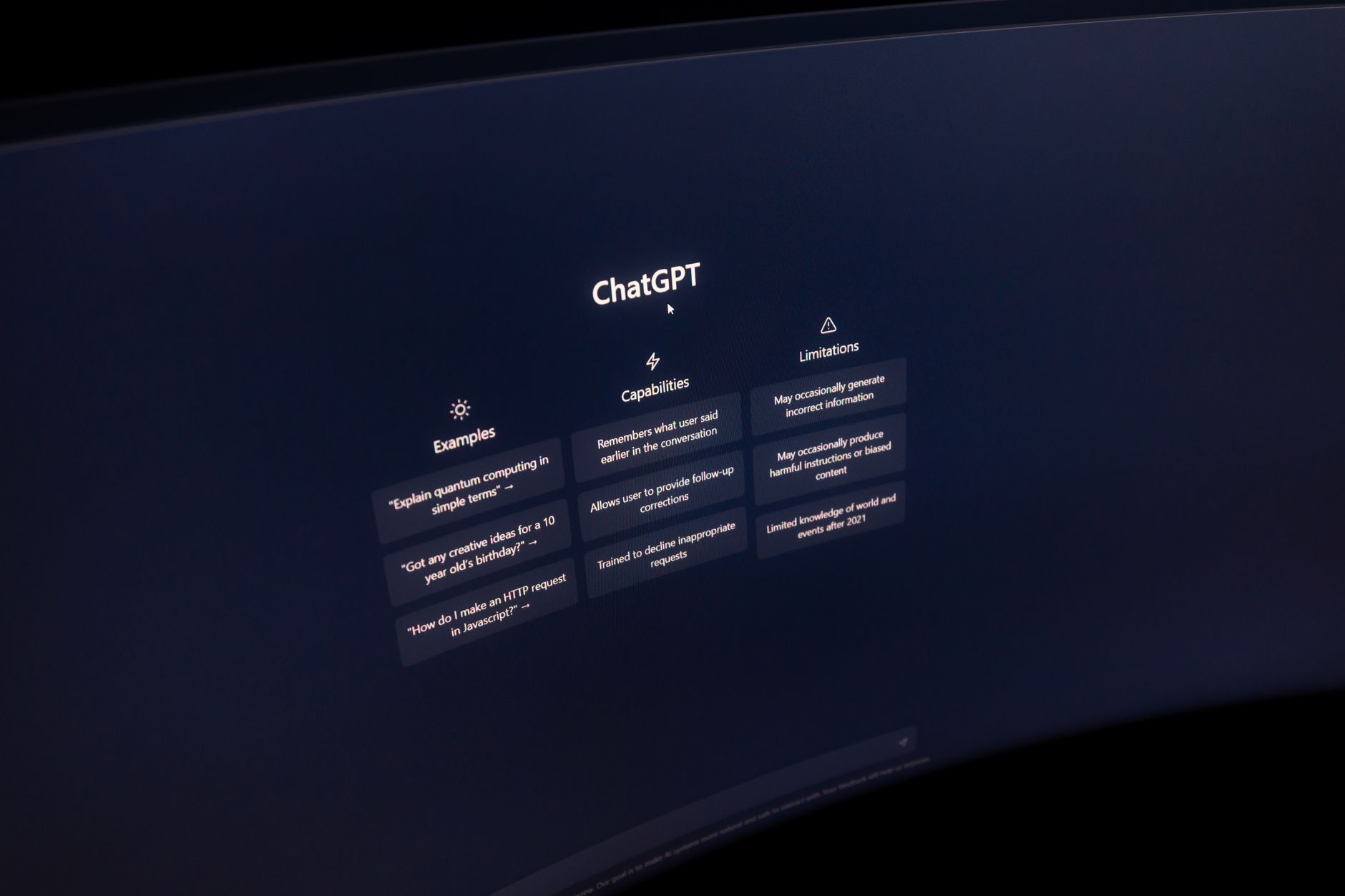
ChatGPT is the fastest way to turn a vague client topic into a structured session plan. Open a new chat and describe the client’s goal, personality, and current blockers. Ask for five open ended questions that challenge limiting beliefs. Use follow up prompts to adjust tone. The paid ChatGPT Plus plan costs $20 per month and gives you higher message limits and access to newer models. Free users get access but with fewer messages per day. According to OpenAI release notes, the assistant gets regular updates that improve reasoning and instruction following.
For roleplay, paste a shortened client scenario and ask ChatGPT to play the client. Include that the client is resistant to change. Then practice your questions. This works well before a difficult session. You can also ask for metaphors, visualizations, or journaling prompts. If you want a deeper comparison between ChatGPT and Claude for coaching conversations, read our ChatGPT vs Claude guide.
The catch is that ChatGPT can sometimes over explain or sound generic. You have to give it clear context about your coaching style. Avoid pasting full client names, emails, or sensitive history. Use initials or role labels instead. One practical workflow is to create a custom instruction set that tells ChatGPT you are a life coach who prefers warm, direct language. That reduces editing time.
ChatGPT also works for client homework. Ask it to turn a session theme into a simple worksheet with three reflection questions. Then adjust the reading level. It is not perfect, but it gives you a strong first draft in minutes. For coaches who also write newsletters or social posts, see best AI tools for writers.

- Claude for long context and reflective conversations
Claude from Anthropic is the tool I reach for when a client brings a long history or a complicated relationship pattern. Claude can handle up to 200,000 tokens of context in a single prompt, which is roughly 150,000 words. That means you can paste months of session notes, intake forms, and journal entries, then ask it to find recurring themes. The Anthropic documentation describes this long context as useful for complex reasoning. Claude Pro costs $20 per month and offers higher usage limits than the free tier.
What makes Claude different is its tone. It often feels more measured and less eager to jump to solutions. That is helpful for reflective exercises. You can ask Claude to act as a thinking partner. Give it a question like, ‘What is this client avoiding?’ It will summarize patterns without forcing an action plan. Still, you must review everything. AI can misread emotional cues.
Use Claude for intake analysis. Paste the client’s stated goals, challenges, and life context. Ask for three possible coaching directions. Then ask which one aligns best with your coaching philosophy. This process can save you an hour of manual note reading. For a direct side by side comparison, revisit the ChatGPT vs Claude article.
One warning: long context does not mean infinite accuracy. The model can still overlook important details near the middle of long documents. Ask it to cite the specific notes it used. If you do not have the source text at hand, keep sessions short. Claude is great for client case consultation, but never share identifying data without consent.
- Gemini for Google Workspace and research
Gemini is the best choice if you already live in Google Workspace. It summarizes documents inside Google Docs, drafts emails in Gmail, and pulls in web research from Google Search. Gemini Advanced costs $19.99 per month and includes 2 TB of Google One storage. That storage is useful for storing coaching recordings or client worksheets. The setup is simple because Gemini works in the tools you already use.
For life coaches, Gemini shines in cohort program design. Ask it to research a topic like ’evidence based habit change methods’ and then create a four week curriculum outline. It can cite sources if you prompt it. Then you can refine the outline in Google Docs. This cuts research time from an hour to about fifteen minutes. If you are choosing between Gemini and ChatGPT, see our ChatGPT vs Gemini guide.
Another use is client email follow up. After a session, ask Gemini to draft a warm recap with action items. You will need to edit it to sound like you. The tone can be a bit too corporate at first. You can fix that by adding, ‘Use plain, conversational language. Keep paragraphs under four sentences.’ That small prompt makes a big difference.
Privacy is your responsibility. Google may use data to improve products unless you change the settings. Check your Google Workspace data policies. For sensitive coaching topics, use a dedicated AI tool with stronger privacy guarantees or get explicit client consent. Still, for general admin and research, Gemini is a solid all rounder.
- Fathom for automatic session notes
Fathom is a free AI notetaker that joins your Zoom, Google Meet, or Microsoft Teams calls. It records, transcribes, and summarizes the conversation. The free plan includes unlimited recording and transcription for individual users. That is a strong offer for coaches who spend 10 to 15 hours a week on video sessions. After each call, Fathom generates action items, key quotes, and a timeline. You can copy the summary into your coaching notes.
The real benefit is time. Manual note taking after a session can take 15 minutes per client. With Fathom, you spend two minutes reviewing and editing. That saves more than two hours per week for a coach with ten clients. The tool also allows you to share the recording or summary with the client. That helps with accountability, but always ask permission first.
There are limitations. Fathom works only for virtual meetings. In person sessions still require manual notes or a separate recording device. Also, the AI summary can miss emotional tone or subtle shifts. Review the action items before sending them. For productivity workflows that connect note taking with your project tools, see best AI tools for productivity.
Use Fathom for client session recaps and coach supervision. If you have your own coach or mentor, recording those sessions lets you review later. The free plan is generous, but paid team features add more storage and CRM integrations. For solo life coaches, the free tier is usually enough to get started.

- Notion AI for client management and program creation
Notion AI turns your client workspace into a thinking assistant. You can store client notes, session plans, program outlines, and invoices in one place. Then Notion AI can summarize long pages, generate action items, and improve your writing. Notion AI is an add on that costs about $10 per member per month on top of the Notion plan. That is affordable for a solo coach.
Build a client database with properties like goals, session date, and progress notes. Notion AI can then write a monthly progress summary for each client. Just ask it to summarize the notes in a table row. This is a huge time saver for coaches who offer long term packages. Instead of reading through six months of notes, you get a draft summary in seconds.
Notion AI also helps with program creation. Paste your workshop outline and ask it to expand each module into a lesson plan with exercises. Then use the AI to rewrite sections for clarity. If you also run a small coaching business, see best AI tools for small business for more ways to use AI in admin.
The tradeoff is setup time. Notion has a learning curve. You need to build a structure that fits your coaching flow. Start with a simple template. Do not try to automate everything at once. Once your client pages are organized, Notion AI becomes the glue between notes, plans, and content.

- n8n for custom AI workflows
n8n is a workflow automation tool that connects your AI tools with the rest of your coaching stack. It supports over 400 pre built integrations, from Google Calendar to email to Slack. You can create an automation that takes a completed session note from Fathom, sends it to ChatGPT or Claude for a client summary, then emails that summary to the client. That happens without you copying and pasting anything.
The learning curve is real. n8n is designed for technically comfortable users, but you do not need to code. The visual builder uses drag and drop nodes. Start with the built in templates. You can find templates for AI summaries and CRM updates. For a deeper look at how developers and technical users build with n8n, see best AI tools for developers.
Why bother with automation? Because most coaching tasks are repetitive. Every week you probably do similar things: send a follow up, update a client log, schedule next session. n8n can handle those steps in the background. That frees you to focus on the coaching conversation itself. The free community version gives you unlimited workflows for personal use. Paid cloud plans start at about $20 per month.
A common mistake is building too many automations before your processes are stable. If your follow up style changes every month, the automation will break. First write down your standard workflow. Then automate the most tedious step. n8n is powerful, but it works best when your process is already clear.
- Putting the stack together: a weekly AI coaching workflow
Start with a simple weekly workflow. Before each session, spend five minutes with ChatGPT or Claude. Paste the client’s last summary and ask for three open ended questions. During the session, let Fathom capture the conversation if it is virtual. After the session, review the Fathom action items and paste them into Notion. Then use Notion AI to draft a client recap email. On Friday, use n8n to compile a weekly progress note for each client and send it to yourself for review.
This workflow saves roughly five to seven hours per week for a coach with eight clients. The key is to keep the human review step. AI drafts are useful, but they need your voice. Always edit summaries before sending. A client can tell the difference between a generic AI recap and a thoughtful coach note. For a broader business perspective, see how to use AI for business.
If you only have budget for one tool, start with Claude or ChatGPT. Those two handle session prep, client summaries, and content. Add Fathom when you notice you are spending too much time on notes. Add Notion AI when your client base grows beyond five people. Add n8n only when you have a stable process that repeats every week.
Measure the impact. Track how many hours you save, how fast you send follow ups, and whether clients stay longer. AI tools should give you more presence, not more screen time. If a tool adds friction, drop it. The best AI stack is the one you actually use every week.
Red Flags & Warnings
- 🚨 Never upload raw client transcripts to a free AI model without reading the data retention policy. Client conversations are sensitive personal data.
- 🚨 Do not use AI to diagnose mental health conditions or give therapy advice. Life coaching is not a substitute for licensed care, and AI can overstep.
- 🚨 Always get explicit consent before recording or transcribing a session. Some regions require two party consent for calls.
- 🚨 Review every AI generated summary before sending it to a client. The AI can misquote or miss important emotional context.
- 🚨 Do not paste client names, emails, or contact details into general purpose AI prompts. Use initials or role labels to reduce privacy risk.
- 🚨 Watch for bias in AI language. Models sometimes reinforce age, gender, or cultural stereotypes. Correct those in your client materials.
Frequently Asked Questions
Which AI tool is best for life coaches?
The best overall AI tool for life coaches in 2026 is Claude for its long context and reflective tone, followed closely by ChatGPT for fast session prep. Fathom is the best note taker for virtual sessions. Your choice depends on whether you need conversation support, note automation, or client management.
Is it ethical to use AI in life coaching?
Yes, if you use it as an assistant and not a replacement for your clinical judgment. Get client consent before recording or transcribing, protect personal data, and always review AI drafts. AI should reduce busywork so you can be more present with clients.
How much does AI cost for a life coach?
A solo coach can start with free tiers like ChatGPT, Claude, and Fathom. Paid plans typically cost $20 per month each. Notion AI adds about $10 per member per month. A full stack with ChatGPT Plus, Claude Pro, and Fathom free would cost around $40 per month.
Can AI replace a life coach?
No. AI can summarize notes, draft questions, and generate client resources, but it cannot hold space, read body language, or build trust. Life coaching is a relational practice. AI tools make the administrative side faster, but the coaching relationship remains human.
What is the best AI tool for client note-taking?
Fathom is the best AI tool for client note-taking in virtual sessions. It joins Zoom, Google Meet, and Microsoft Teams, then generates transcripts and action items. The free plan includes unlimited recording for individual users.
How do I keep client data private when using AI?
Use paid plans with better data controls, do not include identifying details in prompts, get explicit consent, and review each tool’s data retention policy. For highly sensitive client topics, consider using a local or enterprise AI tool with no training on your data.
What Should You Remember?
- Session prep: Use ChatGPT or Claude to draft open-ended questions and roleplay scenarios.
- Long context: Claude handles up to 200,000 tokens, so it can review months of client notes at once.
- Note-taking: Fathom automatically transcribes and summarizes virtual coaching sessions, saving hours each week.
- Client management: Notion AI turns a client database into automated progress summaries and program drafts.
- Automation: n8n connects AI tools with email, calendar, and CRM to remove repetitive admin work.
- Privacy: Always get consent, avoid personal data in prompts, and review AI outputs before sending.
This article is for general information only and does not constitute professional advice. Product capabilities, pricing, and market figures change frequently. Always verify current details through vendor documentation and primary sources.
Some links on this page may be affiliate links, which means we may earn a commission if you click through and make a purchase — at no additional cost to you. Read our full disclosure.